
Audience: Park University faculty and staff
Applies to: Microsoft 365 (Outlook / Exchange Online)
OVERVIEW
Microsoft 365 (M365) Exchange Online Protection helps keep Park University e-mail secure by filtering out spam, phishing attempts and potentially harmful messages. In some cases, legitimate e-mail may be placed in quarantine for review.
This article explains how to access, review and safely release quarantined messages.
WHAT IS QUARANTINE?
Quarantine is a secure holding area for e-mail messages that have been flagged as potentially unsafe.
Messages may be quarantined due to:
- Suspected phishing or spoofing attempts
- Spam or bulk e-mail
- Suspicious attachments or links
- Organizational security policies
Quarantined messages are not delivered to your inbox until reviewed and released.
HOW YOU ARE NOTIFIED
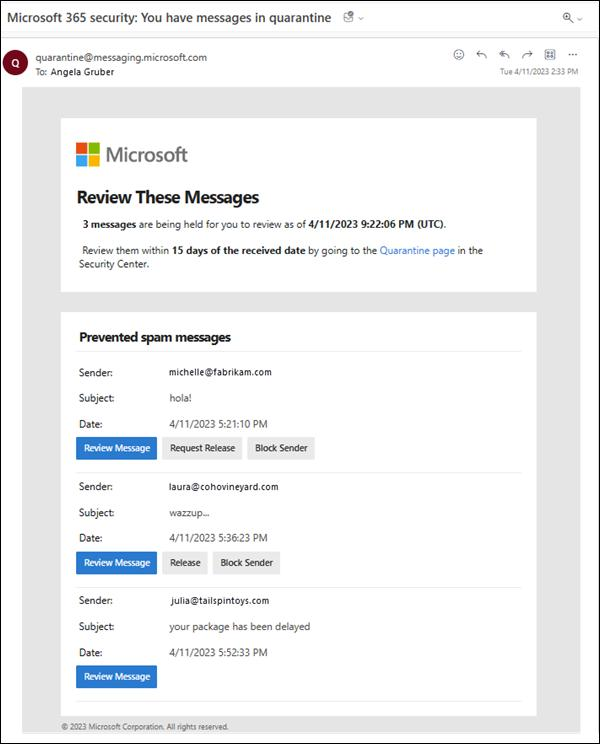
If a message is quarantined, you may receive a quarantine notification e-mail from Microsoft.
This notification typically includes:
- Sender information
- Subject line
- Reason for quarantine
- A link to review the message
HOW TO ACCESS YOUR QUARANTINE
You can review quarantined messages at any time:
- Go to the Microsoft quarantine portal:
https://security.microsoft.com/quarantine - Sign in with your Park University e-mail credentials
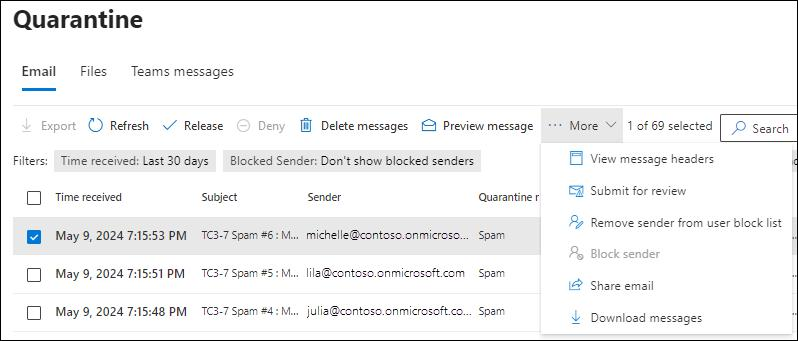
- View the list of quarantined messages
REVIEWING A QUARANTINED MESSAGE
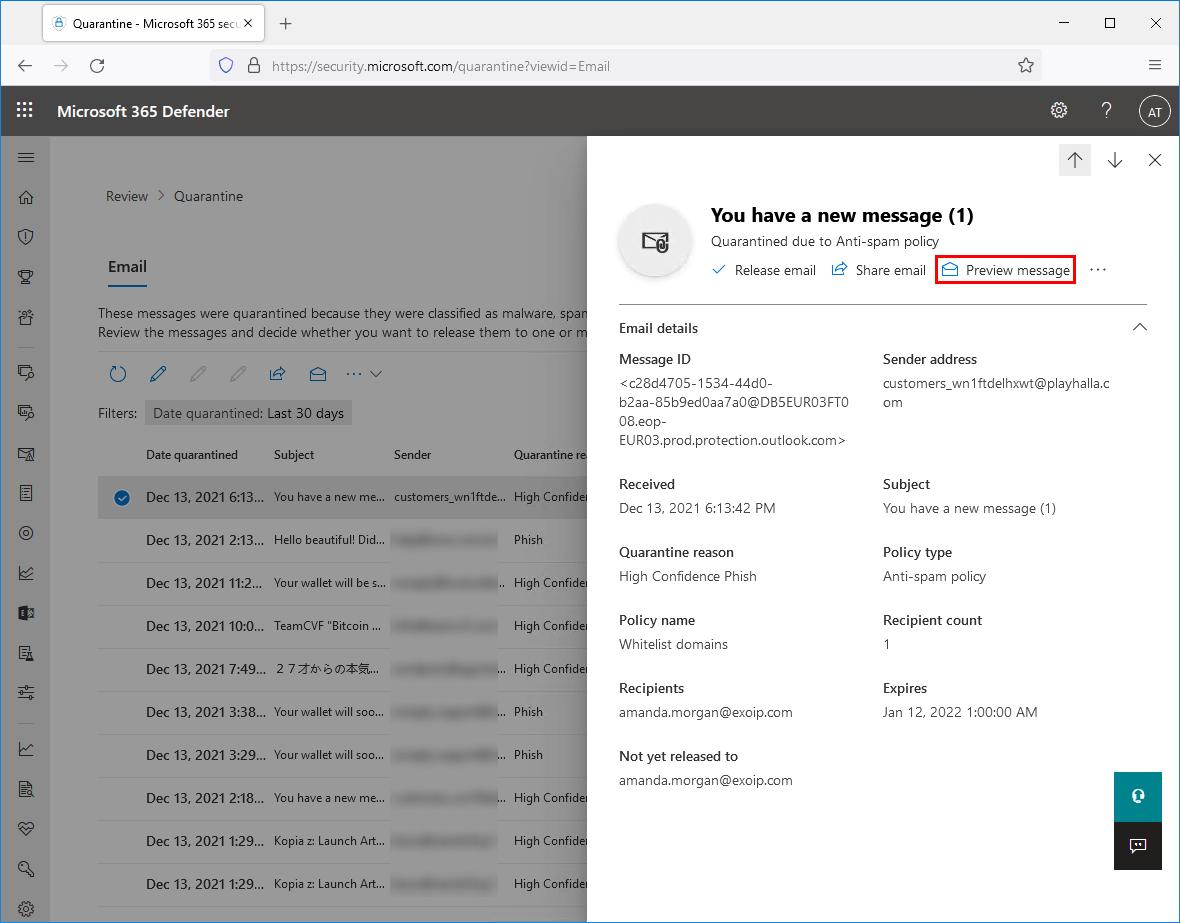
When selecting a message, you will see details such as:
- Sender and recipient
- Subject line
- Detection reason
- Date received
Take a moment to carefully review the message before taking action.
AVAILABLE ACTIONS
You will have several options:
Release
- Delivers the message to your inbox
- Use only if you trust the sender and content
Preview
- View the message content safely
Delete
- Permanently removes the message
Block sender
- Prevents future messages from this sender
WHEN TO RELEASE A MESSAGE
You may safely release a message if:
- You recognize and trust the sender
- You were expecting the e-mail
- The content appears legitimate and relevant
WHEN NOT TO RELEASE
Do not release a message if:
- The sender is unknown or suspicious
- The message requests sensitive information
- The content includes unexpected links or attachments
- The message appears urgent or threatening without reason
If unsure, contact the Park University IT Service Desk.
BEST PRACTICES
- Always verify unexpected messages, even from known senders
- Avoid clicking links or downloading attachments unless verified
- Report suspicious messages to IT immediately
- Regularly review your quarantine to avoid missing important messages
ADDITIONAL NOTES
- Quarantined messages are automatically deleted after a retention period
- Not all quarantined messages generate notifications
- Policies are managed centrally to protect the University community
NEED HELP?
If you have questions or need assistance:
- Contact the Park University IT Help Desk at
- https://support.park.edu
- by email at helpdesk@park.edu
- by calling 816-584-6369
- Include details such as sender, subject and date of the message